用于说明如何发布自己的项目到pypi
pypi简介
pypi简单理解是存放第三方库的服务仓库,开发者可以将 自己写的第三方库上传到pypi,然后其他开发者可以直接通过pip工具进行安装。 下面主要看一下如何发布一个第三方库。
操作流程
1.在pypi 注册账号,按网页操作提示注册即可。
2.安装打包依赖wheel,twine
pip install wheel twine
3.编写项目,项目的结构如下
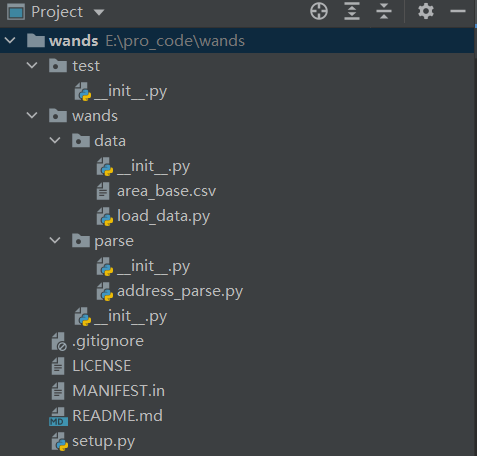
wands
│  .gitignore
│  LICENSE
│  MANIFEST.in
│  README.md
│  setup.py
│
├─test
│      __init__.py
│
└─wands
    │  __init__.py
    │
    ├─data
    │      area_base.csv
    │      load_data.py
    │      __init__.py
    │
    └─parse
            address_parse.py
            __init__.py
最外层wands为项目名称,里面wands为包的名称,该目录下为我们具体的代码逻辑。
test存放单元测试用例
MANIFEST.in需要包含的静态文件
setup.py打包程序
4.编写setup.py,这里参考K神写的打包模板
# -*- coding: utf-8 -*-

"""
@author: onefeng
@time: 2022/5/20 11:54
"""
import io
import os
import sys
from shutil import rmtree

from setuptools import find_packages, setup, Command

# Package meta-data.
NAME = 'wands-ce' # 项目名称
DESCRIPTION = '' # 项目描述
URL = 'https://github.com/xxx' # github地址
EMAIL = '15198086902@163.com'
AUTHOR = 'onefeng'
REQUIRES_PYTHON = '>=3'
VERSION = '1.0.1'

# What packages are required for this module to be executed?
REQUIRED = [
    # 'requests', 'maya', 'records',
]

# What packages are optional?
EXTRAS = {
    # 'fancy feature': ['django'],
}

# The rest you shouldn't have to touch too much :)
# ------------------------------------------------
# Except, perhaps the License and Trove Classifiers!
# If you do change the License, remember to change the Trove Classifier for that!

here = os.path.abspath(os.path.dirname(__file__))

# Import the README and use it as the long-description.
# Note: this will only work if 'README.md' is present in your MANIFEST.in file!
try:
    with io.open(os.path.join(here, 'README.md'), encoding='utf-8') as f:
        long_description = '\n' + f.read()
except FileNotFoundError:
    long_description = DESCRIPTION

# Load the package's __version__.py module as a dictionary.
about = {}
if not VERSION:
    project_slug = NAME.lower().replace("-", "_").replace(" ", "_")
    with open(os.path.join(here, project_slug, '__version__.py')) as f:
        exec(f.read(), about)
else:
    about['__version__'] = VERSION


class UploadCommand(Command):
    """Support setup.py upload."""

    description = 'Build and publish the package.'
    user_options = []

    @staticmethod
    def status(s):
        """Prints things in bold."""
        print('\033[1m{0}\033[0m'.format(s))

    def initialize_options(self):
        pass

    def finalize_options(self):
        pass

    def run(self):
        try:
            self.status('Removing previous builds…')
            rmtree(os.path.join(here, 'build'))
            rmtree(os.path.join(here, 'dist'))
        except OSError:
            pass

        self.status('Building Source and Wheel (universal) distribution…')
        os.system('{0} setup.py sdist bdist_wheel --universal'.format(sys.executable))

        self.status('Uploading the package to PyPI via Twine…')
        os.system('twine upload dist/*')

        # self.status('Pushing git tags…')
        # os.system('git tag v{0}'.format(about['__version__']))
        # os.system('git push --tags')

        sys.exit()


# Where the magic happens:
setup(
    name=NAME,
    version=about['__version__'],
    description=DESCRIPTION,
    long_description=long_description,
    long_description_content_type='text/markdown',
    author=AUTHOR,
    author_email=EMAIL,
    python_requires=REQUIRES_PYTHON,
    url=URL,
    packages=find_packages(exclude=["test", "*.test", "*.test.*", "test.*"]),
    # If your package is a single module, use this instead of 'packages':
    # py_modules=['packages'],

    # entry_points={
    #     'console_scripts': ['mycli=mymodule:cli'],
    # },
    install_requires=REQUIRED,
    extras_require=EXTRAS,
    include_package_data=True,
    license='MIT',
    classifiers=[
        # Trove classifiers
        # Full list: https://pypi.python.org/pypi?%3Aaction=list_classifiers
        'License :: OSI Approved :: MIT License',
        'Programming Language :: Python',
        'Programming Language :: Python :: 3',
        'Programming Language :: Python :: 3.6',
        'Programming Language :: Python :: Implementation :: CPython',
        'Programming Language :: Python :: Implementation :: PyPy'
    ],
    # $ setup.py publish support.
    cmdclass={
        'upload': UploadCommand,
    },
    # entry_points={
    #     'console_scripts': [
    #         'wands=wands:main',
    #     ],
    # },
)
将基本信息修改为自己的即可,NAME不能与pypi上已有的重复
5.修改MANIFEST.in,将一些静态文件也一起上传到pypi,如html,csv等,不写的话则只会上传py文件,这里我的写法
include wands/data/*
6.上传到pypi,在setup.py目录下执行
python setup.py upload
按照提示依次输入pypi的用户名和密码,后面代码改动,版本升级改版本号重新执行命令即可。
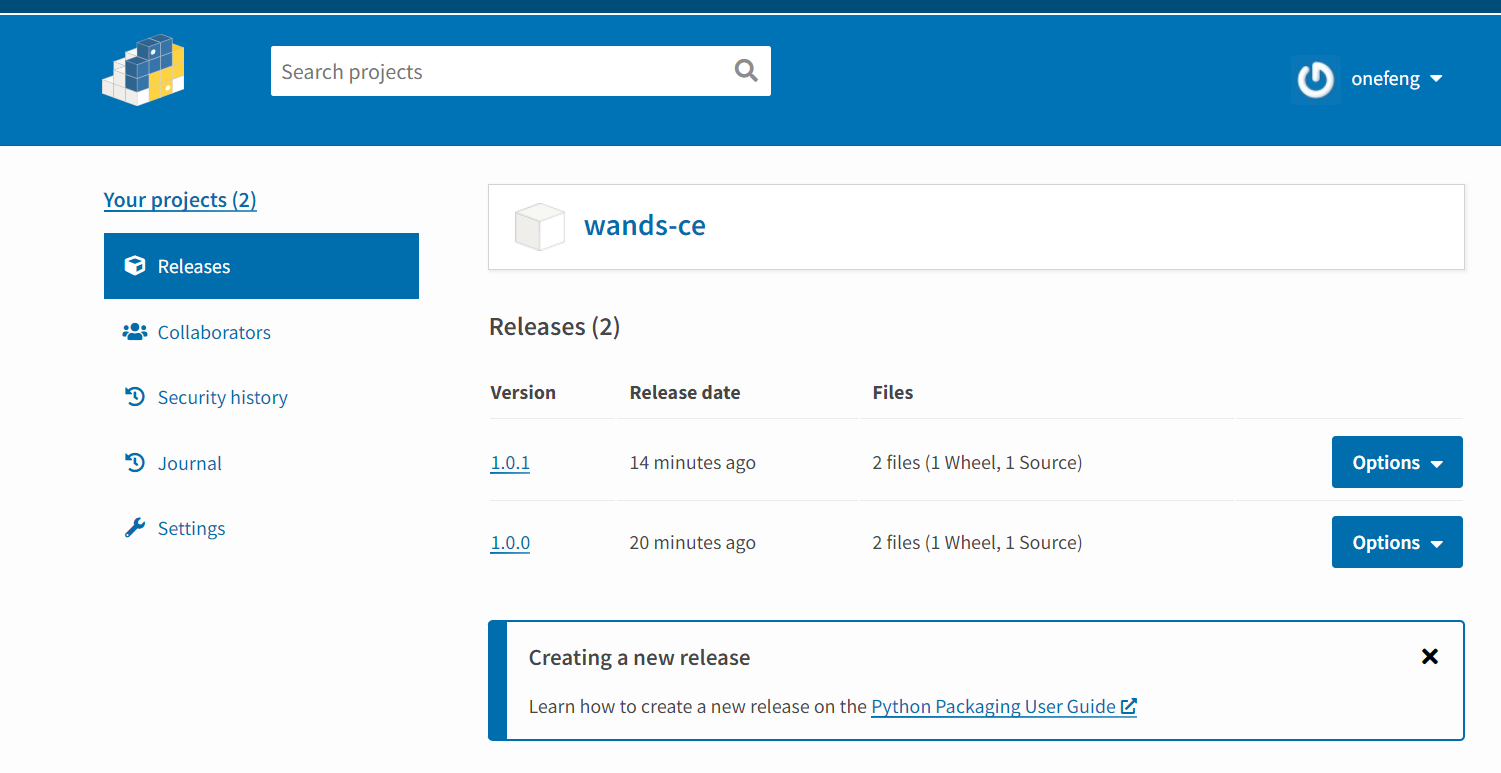
在最后上传完成后可以在网页看到,并且可以通过pip install wands-ce 进行安装库
have enjoy in yourself~~~